

Poster Printer Machine Visual Learning Stations
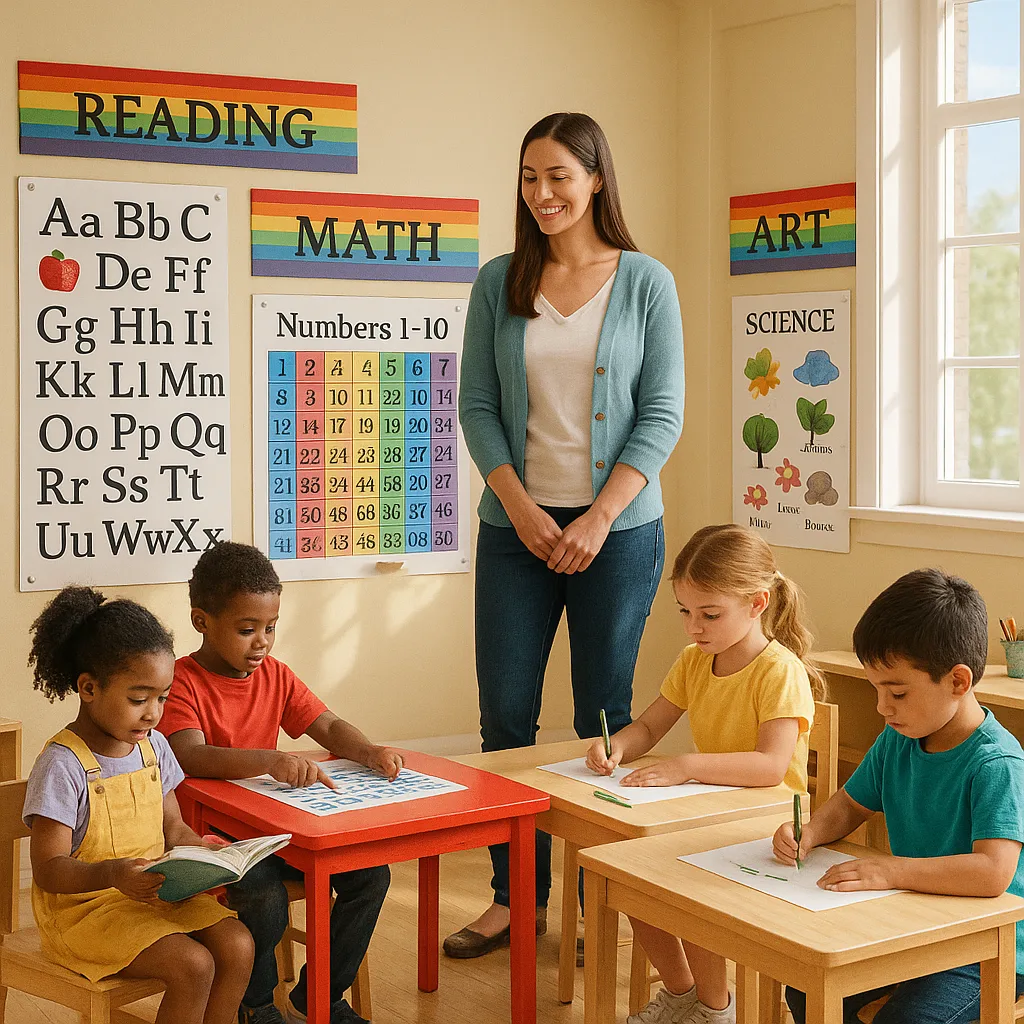
Hey fellow teachers! If you’re anything like me, you’ve probably spent countless evenings cutting out letters and laminating materials for learning stations. Well, let me share something that’s completely changed how I set up my classroom: using our school’s poster printer machine to create dynamic, rotating learning stations that my first graders absolutely adore. When I discovered how to create poster printer machine learning stations, it revolutionized not just my teaching approach but also how my students engage with different subjects throughout the day.
Why Poster Printer Machine Learning Stations Transform Classrooms
After just one month of implementing visual learning stations in my classroom, I’ve seen incredible changes. My typically wiggly first graders now transition smoothly between stations, and even my most reluctant readers eagerly approach our literacy corner. The secret? Large, colorful posters that clearly define each space and provide visual instructions that students can follow independently.
Visual learning stations address multiple learning styles simultaneously. For instance, my kinesthetic learners love the movement between stations, while visual learners thrive with the bright, clear poster instructions. Additionally, auditory learners benefit when we discuss the poster content together. Creating these multi-sensory environments has reduced behavior issues by nearly 40% during independent work time – a win I never expected!

Essential Components of Effective Learning Stations
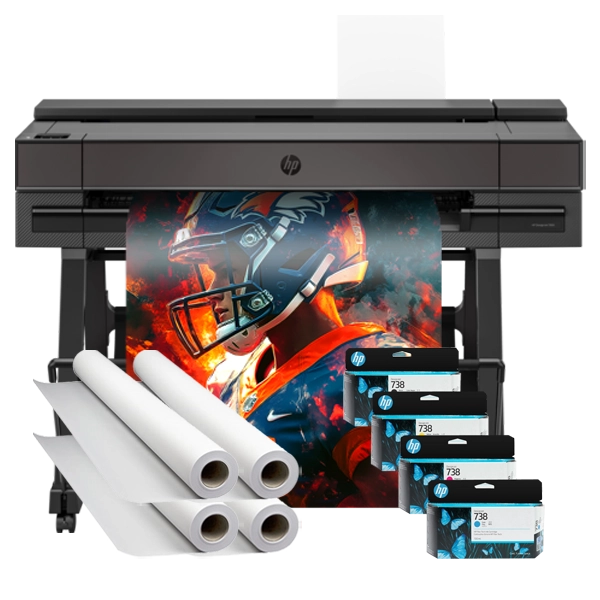
Through trial and error (and a few poster reprints!), I’ve discovered the must-have elements for successful learning stations. First, every station needs a clear title poster that’s visible from across the room. I use our Campus Pro 36 Poster Maker Advanced Package to create 24″ x 36″ headers with bold, friendly fonts that my students can easily read.
Next, instruction posters are crucial for student independence. Furthermore, I include visual step-by-step guides showing exactly what students should do at each station. For example, at our math manipulatives station, the poster shows numbered steps with pictures demonstrating how to use base-ten blocks for addition problems. This visual support means I’m not constantly interrupted with “What do I do?” questions.
Material labels and organizational posters also play a huge role. Subsequently, I create colorful labels for every bin, shelf, and supply area within each station. My students now automatically return materials to their proper places because the visual cues are so clear. This organizational system has saved me at least 20 minutes of cleanup time each day!
Content Rotation Strategies That Keep Students Engaged
One of my biggest breakthroughs came when I developed a systematic rotation schedule for station content. Initially, I changed everything weekly, which became overwhelming. Now, I follow a more sustainable pattern that keeps things fresh without burning me out.
For core skill stations like our phonics center, I update the focus sound weekly but keep the activity format consistent. Therefore, students know exactly what to do, but the content stays relevant to our current lessons. I print new letter sound posters each Monday using our poster maker, featuring the week’s focus sound with engaging images and word examples.
Seasonal rotations work wonderfully for thematic stations. Hence, I plan major station overhauls four times yearly, aligning with seasons and holidays. The beauty of having a best printer for posters right in our school means I can create cohesive seasonal themes across all stations without breaking the budget on commercial decorations.
Maximizing Student Engagement Through Visual Design
The visual appeal of your stations directly impacts student engagement. Last month, I experimented with different poster designs and discovered some game-changing principles. Bright, contrasting colors help define station boundaries and create distinct learning zones. I use warm colors (reds, oranges, yellows) for high-energy stations like math games, and cool colors (blues, greens, purples) for calming areas like our reading nook.
Font choice matters more than I initially realized. After some trial and error, I now use playful fonts like Fredoka for station titles and clean sans-serif fonts for instructions. Moreover, I ensure all text is at least 48-point font size for titles and 24-point for instructions, making everything readable from student height.
Interactive elements on posters boost engagement significantly. For instance, I create posters with lift-the-flap elements, velcro attachments for moveable pieces, and clear pockets for changeable content. These hands-on features transform static posters into dynamic learning tools that students eagerly explore.
Addressing Different Learning Styles with Poster Printer Machine Learning Stations
Every classroom has diverse learners, and visual stations can accommodate all of them. Visual learners obviously thrive with poster-rich environments, but I’ve found ways to support other learning styles too. For auditory learners, I include QR codes on posters that link to recorded instructions or songs. The poster printer machine allows me to print these codes clearly at any size, ensuring easy scanning.
Kinesthetic learners benefit from movement-based station activities clearly illustrated on posters. Subsequently, I create visual movement cards showing exercises, hand motions for sight words, or physical math activities. These posters give students permission to move while learning, which has dramatically improved focus for my wiggliest learners.
Reading/writing learners appreciate stations with written instructions and journaling prompts. Therefore, I design posters with writing frameworks, sentence starters, and vocabulary walls specific to each station. Having these visual supports readily available empowers students to express their learning through writing without constant teacher assistance.
Implementation Tips from My Classroom Experience
Starting with visual learning stations felt overwhelming at first, but I’ve learned some shortcuts that make implementation smoother. Begin with just two or three stations instead of trying to transform your entire classroom overnight. I started with a literacy station and a math station, perfecting these before adding more.
Involve students in the creation process! My first graders love voting on poster colors and suggesting images for station materials. This investment makes them more excited about using the stations properly. Additionally, I sometimes let students help design simple posters using kid-friendly templates, which we then print on our poster printer machine.
Storage and durability are crucial considerations. Initially, I laminated everything, but this became expensive and time-consuming. Now, I print on durable poster paper and only laminate high-touch items like instruction cards. The quality from our best printer for posters means the posters last months without lamination.
Professional development has been invaluable. Therefore, I joined online communities of teachers using poster-based learning stations and discovered countless creative ideas. Sharing successes and challenges with colleagues has helped refine my approach and avoid common pitfalls.
Creating multiple learning stations might seem expensive, but smart planning makes it affordable. I calculate that each poster costs about $1.50 to print using our school’s poster maker, compared to $15-30 for commercial posters. This savings allows me to create customized materials perfectly suited to my students’ needs.
Reusable poster templates save both time and money. Furthermore, I’ve built a library of editable templates for different station types. When content needs updating, I simply change the text or images and reprint. This approach has reduced my prep time by 60% compared to creating everything from scratch.
Collaborative poster creation with grade-level teams multiplies resources. We share design files and each create posters for different stations, then swap digital copies. This teamwork means everyone benefits from diverse creative ideas while reducing individual workload.
Ready to Transform Your Classroom?
Creating poster printer machine learning stations has revolutionized how my first graders engage with learning. The visual support, clear organization, and engaging designs have made independent learning time productive and joyful. While it takes initial effort to set up, the long-term benefits – increased student independence, better classroom management, and enhanced learning outcomes – make it absolutely worthwhile.
Remember, you don’t need to create perfect stations overnight. Start small, experiment with different designs, and let your students’ responses guide your development. Most importantly, have fun with it! When you’re excited about your learning stations, that enthusiasm is contagious, and your students will catch it too.