

AI Powered School Poster Makers: Transform Your Classroom Visuals
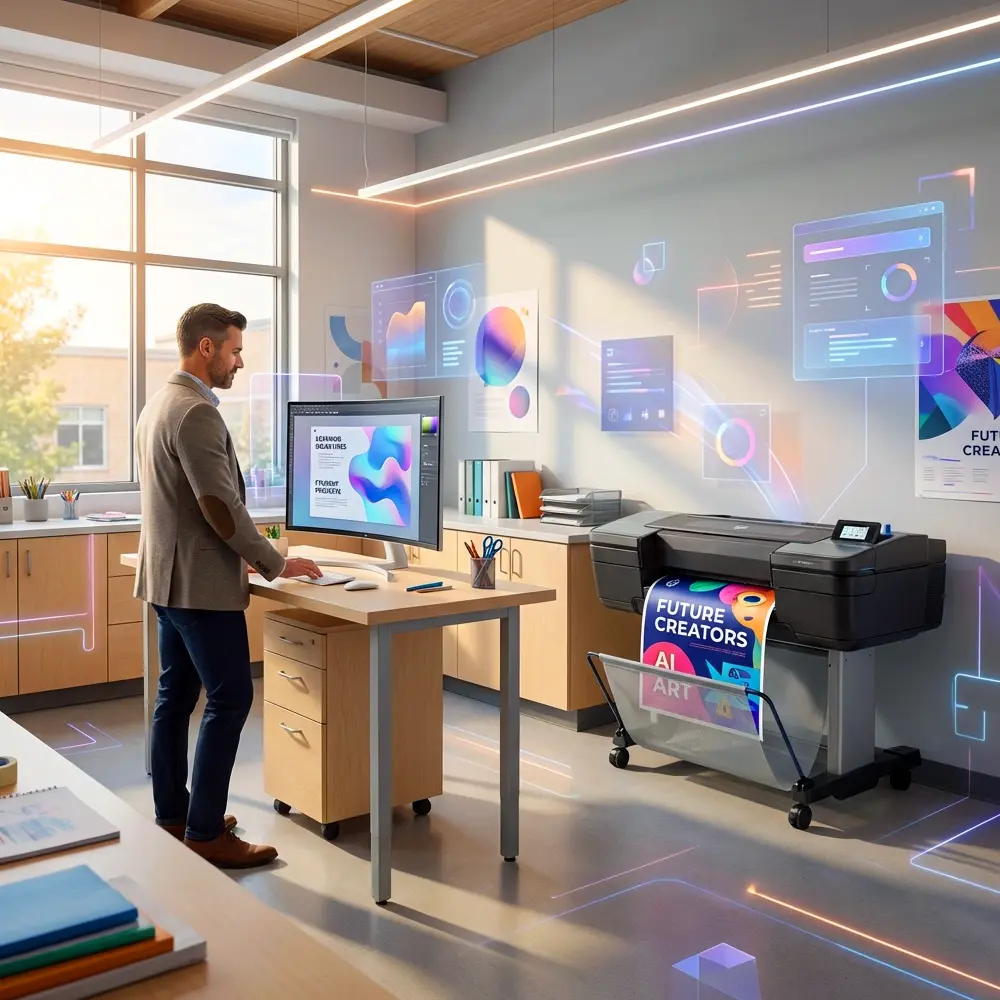
Remember those late nights hunched over your desk, trying to create the perfect visual for tomorrow’s lesson? I’ve been there. As a former middle school teacher, I spent countless hours cutting, pasting, and praying my printer wouldn’t jam before first period. But here’s the exciting news: AI has completely revolutionized how we approach poster design, and when you combine it with a quality school poster maker, you can create stunning classroom visuals in a fraction of the time.
The intersection of AI and poster design isn’t just some futuristic concept anymore. It’s happening right now in schools across the country, and teachers who embrace these tools are discovering they have more time for what really matters—actually teaching their students.
Why Traditional Poster Creation Eats Up Your Time
Let’s be honest about the old way of doing things. You’d start with a blank document, spend twenty minutes finding the right font, another thirty hunting for copyright-free images, and then wrestle with alignment issues until your eyes crossed. Sound familiar?
The traditional approach to creating educational posters involves multiple steps that drain your energy and steal precious planning time. You might head to a copy shop, wait in line, explain your vision to someone who doesn’t understand your classroom needs, and end up with something that’s just “good enough.” Or worse, you’d settle for those generic posters that every other classroom already has hanging on their walls.
I remember spending my entire Sunday afternoon creating a poster about the water cycle, only to realize Monday morning that I’d misspelled “evaporation” in 72-point font. The struggle was real, and it was exhausting.
How AI Is Changing the Game for Teachers
AI tools have transformed the creative process in ways that seemed impossible just a few years ago. These intelligent systems can generate design ideas, suggest color schemes, create custom graphics, and even help you layout text in visually appealing ways—all in seconds rather than hours.
Think of AI as your personal design assistant. You describe what you need, and it provides options you can customize. Want a poster explaining photosynthesis with engaging visuals? AI can generate unique illustrations that capture student attention. Need a timeline of the American Revolution with period-appropriate imagery? Done in minutes.
The real magic happens when you pair AI design capabilities with a professional poster maker for schools. Suddenly, you’re not just creating digital files—you’re producing museum-quality prints that transform your classroom environment.
Tools like Canva’s AI features, Adobe Firefly, and ChatGPT can help brainstorm ideas, generate graphics, and refine your messaging. According to a recent study by EdWeek, 78% of teachers who use AI tools report saving at least 5 hours per week on administrative and planning tasks.
The Perfect Marriage: AI Design + Quality Printing
Here’s where things get really exciting. Creating beautiful designs with AI is wonderful, but if you’re printing them on a regular office printer with faded ink and flimsy paper, you’re missing half the equation. This is where investing in School Poster Makers makes all the difference.
Modern poster printer machines for schools are designed specifically for educational environments. They produce vibrant, durable prints that can withstand the wear and tear of active classrooms. Unlike consumer-grade printers, these machines handle larger formats, use professional-quality inks, and deliver consistent results day after day.
I wish I’d had access to this technology during my teaching years. Instead of making do with 8.5×11 sheets taped together, imagine printing stunning 24×36 posters that actually grab students’ attention and last the entire school year.
Practical AI Applications for Classroom Posters
Let’s talk specifics about how you can actually use AI to create better educational visuals. The possibilities extend far beyond what most teachers initially imagine.
Subject-Specific Visualizations
AI excels at creating complex diagrams and illustrations. Need a detailed cell diagram for biology? An AI tool can generate it with accurate labels and vibrant colors. Teaching about ancient civilizations? AI can create authentic-looking maps and cultural imagery that brings history to life. The Classroom Pro Series poster makers are perfect for printing these detailed educational graphics.
Motivational and Behavioral Support
Creating posters that encourage positive behavior and growth mindset used to mean searching through stock photo libraries for hours. Now, AI can generate custom motivational imagery that reflects your school’s diversity and values. You can create personalized visual reminders that speak directly to your students’ experiences.
Data Visualization and Student Work
AI tools can transform raw data into compelling charts and infographics. Track your class reading goals, showcase science experiment results, or display student achievement data in ways that motivate rather than intimidate. When you print these on a quality poster printer machine, the results look professionally designed.
Understanding Your Equipment Options
Not all poster printing solutions are created equal, and understanding what’s available helps you make smart decisions for your school. Let’s break down what you need to know about poster printer machines for schools.
The market offers everything from compact desktop units perfect for individual classrooms to robust systems designed for entire school districts. Consider factors like print volume, maximum poster size, ink costs, and maintenance requirements. The team at School Poster Makers offers guidance on which school poster maker is right for you based on your specific needs.
For larger schools or districts, the Campus Pro Series poster makers provide the capacity and speed needed to support multiple teachers and departments. Understanding cost per print helps justify the investment to administrators who need to see the long-term value.
Time-Saving Workflows That Actually Work
Theory is great, but let’s talk about practical workflows you can implement tomorrow. The key to maximizing efficiency lies in establishing repeatable processes that combine AI assistance with quality printing equipment.
Start by creating template libraries for your most common poster types. Use AI to generate the initial designs, then save these as starting points you can quickly customize. Many teachers create seasonal templates they modify throughout the year, dramatically reducing design time while maintaining visual consistency.
Batch your design work. Instead of creating posters one at a time as needs arise, dedicate one planning period per month to designing multiple visuals. AI tools work faster when you’re in a creative flow, and you’ll make better design decisions when you’re not rushed. Then send your batch to your school poster maker all at once.
Collaborate with colleagues to share AI prompts and design templates that worked well. When the science department discovers a great AI tool for creating lab safety posters, that knowledge benefits the entire school. This collaborative approach, combined with centralized access to quality poster maker packages, amplifies everyone’s efficiency.
Real Costs vs. Real Savings
Let’s talk money, because convincing administrators to invest in new technology requires demonstrating clear ROI. The financial argument for combining AI design tools with in-house poster printing is stronger than you might think.
Consider what schools typically spend on outsourced printing: rush fees, shipping costs, minimum order quantities that force you to print more than you need, and waiting times that don’t align with your lesson planning. A Teacher’s Guide to School Technology shows that schools using in-house printing save an average of 60% compared to outsourcing.
When you factor in the time savings from AI-assisted design, the math becomes even more compelling. If you save five hours per week on visual creation and that time goes toward instruction or student interaction, what’s the value of that? According to education research, every additional hour of quality instructional time correlates with measurable improvements in student outcomes.
Time Savings: Traditional vs. AI-Assisted Poster Creation
Average hours spent creating one high-quality classroom poster
Key Insight: Teachers using AI design tools combined with in-house poster printing save approximately 67% of their time compared to traditional methods. This translates to reclaiming 10–15 hours per month for instruction and student engagement.
Overcoming the Learning Curve
I get it—new technology can feel overwhelming, especially when you’re already juggling lesson plans, grading, and parent communications. But here’s the truth: learning to use AI for poster design is easier than mastering most educational software you’ve already conquered.
Most AI design tools use natural language, meaning you describe what you want in plain English. No coding required, no complex interface to master. You might type “Create a colorful poster about the parts of speech with examples for 4th graders,” and the AI generates options within seconds. Then you refine and adjust until it’s perfect.
Start small. Choose one upcoming lesson that needs a visual component. Experiment with free AI tools to create the design, then print it on your school poster makers equipment. See how students respond. Notice how much time you saved. That small success builds confidence for bigger projects.
Professional development doesn’t need to be formal or time-consuming. Many teachers find that YouTube tutorials and online teacher communities provide all the training they need. The School Poster Makers team also offers support through their FAQ section and contact page when you have questions about printing your AI-generated designs.
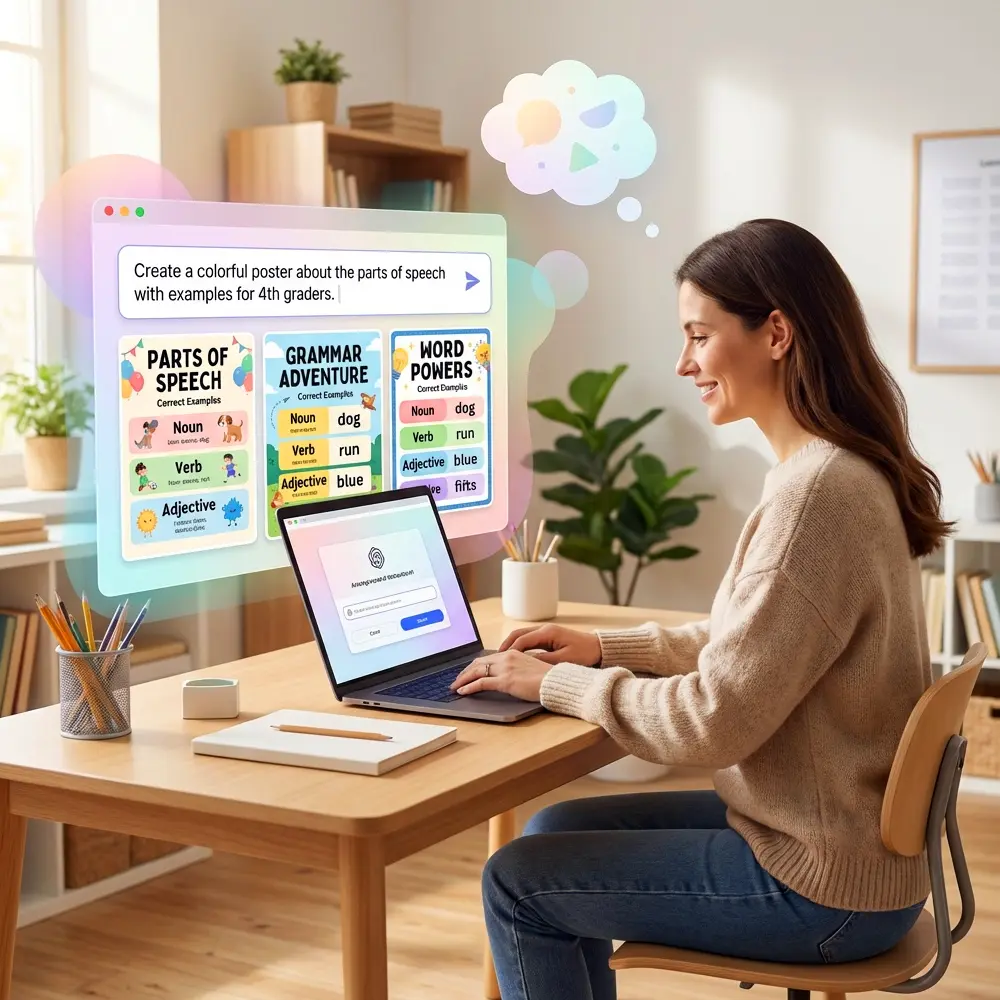
AI-powered school poster makers help teachers create classroom visuals in minutes.
Quality Matters: Why Cheap Solutions Fail
We’ve all been tempted by budget options that promise professional results. But in my teaching experience, cutting corners on essential classroom tools always backfires. This principle applies equally to both your design approach and your printing equipment.
AI-generated designs lose their impact when printed on flimsy paper with washed-out colors. Students notice the difference between professional-quality visuals and something that looks like it came from a struggling home printer. The investment in proper poster printer machines pays dividends in student engagement and classroom atmosphere.
Consider the lifecycle of your classroom materials. A poster printed on professional equipment lasts multiple years without fading or tearing. Cheap alternatives need replacement within months, ultimately costing more money and more of your time. This is exactly why educators choose School Poster Makers for their printing needs—quality that endures.
The same logic applies to AI tools. While free options exist and work well for getting started, premium AI design tools offer capabilities that genuinely enhance your creative process. They understand educational contexts better, generate more age-appropriate content, and provide higher-resolution outputs perfect for large-format printing.
Building Your AI-Enhanced Design Toolkit
Success with AI-powered poster creation comes from having the right combination of tools and resources at your fingertips. You don’t need everything at once, but understanding what’s available helps you build your toolkit strategically.
For design generation, explore tools like Canva Magic Design, Microsoft Designer, and Adobe Express. Each offers AI-powered features that accelerate the creative process. Many provide education discounts or free tiers specifically for teachers. Pair these with your school’s poster maker equipment for end-to-end creation.
Content-specific AI tools excel in particular areas. Need mathematical diagrams? Tools like GeoGebra now incorporate AI assistance. Creating scientific illustrations? Biorender uses AI to help you construct accurate biological diagrams. Teaching languages? AI translation tools ensure your multilingual posters use correct terminology and culturally appropriate imagery.
Don’t overlook AI writing assistants for your poster text. Even visually stunning posters fall flat if the messaging is unclear. AI can help you refine educational language to match your students’ reading levels, suggest more engaging phrasing, and catch errors before you print. For detailed equipment choices, the School Poster Makers store offers solutions for every budget and need.
Addressing Common Concerns About AI
Let’s tackle the elephant in the room. Some educators worry that using AI somehow diminishes their teaching or reduces creativity. I understand this concern, but I’d encourage a different perspective.
AI doesn’t replace your professional judgment or pedagogical expertise. It’s a tool that handles the technical aspects of design so you can focus on the educational content and instructional strategy. You still make all the important decisions about what to teach, how to present it, and how to assess understanding.
Think about it this way: spell-check didn’t make us worse writers. Calculators didn’t diminish mathematical thinking. PowerPoint didn’t reduce our presentation skills. Each tool eliminated busywork and freed us to focus on higher-level thinking. AI-assisted design does the same thing for visual creation.
Copyright and attribution concerns are valid. Always review AI-generated content to ensure it’s appropriate and original. Most AI tools designed for educational use create unique outputs rather than copying existing work. When you’re ready to print your creations, requesting a quote from School Poster Makers ensures you’re working with a company that understands educational copyright requirements.
Getting Started This Week
Ready to dive in? Here’s your action plan for implementing AI-assisted poster design in your classroom this week.
First, identify three upcoming lessons that would benefit from visual support. Maybe it’s a grammar concept students consistently struggle with, a historical event that needs context, or a scientific process that’s hard to visualize. These become your first AI design projects.
Next, choose one free AI tool to experiment with. Canva’s free tier offers excellent AI features for teachers. Create an account, explore the education templates, and try generating a simple poster design. Don’t aim for perfection—just familiarize yourself with the interface and capabilities.
Then assess your printing options. If your school already has quality poster printing equipment, fantastic! Learn how to access it and understand the printing specifications. If not, research what’s available through School Poster Makers’ packages and start building a case for your administration. The National Education Association provides resources for teachers advocating for classroom resources.
Inspiring Student Engagement Through Better Visuals
Here’s what really matters: how do better visuals impact student learning? After years in the classroom, I can tell you that quality matters more than we often admit.
Students respond differently to professional-quality posters than to hastily created printouts. The visual appeal signals that you’ve invested time and care into their learning environment. It communicates that their education matters enough to do things right. This psychological effect shouldn’t be underestimated.
Well-designed educational posters also support different learning styles. Visual learners especially benefit from clear, engaging graphics that reinforce verbal instruction. When these visuals are large enough to see from anywhere in the classroom and attractive enough to capture attention, they become powerful teaching tools that work even when you’re helping individual students.
AI-generated designs can be more inclusive too. You can create visuals featuring diverse characters and perspectives that help every student see themselves in your curriculum. This representation matters deeply, and AI tools make it easier to achieve than ever before.
Planning for Long-Term Success
Implementing new technology successfully requires thinking beyond the initial excitement. How will you sustain and grow your AI-assisted design practice throughout the school year and beyond?
Create a content calendar for your visual materials. Plan which units need new posters, when you’ll design them, and how they’ll rotate throughout the year. This organized approach prevents last-minute scrambling and ensures you’re maximizing your school poster maker investment.
Build a digital library of your successful designs. Organize them by subject, grade level, and season. Next year, you’ll have a head start on classroom decoration and instructional materials. Share these resources with colleagues to multiply everyone’s efficiency—though always respect copyright and licensing terms.
Schedule regular time for experimenting with new AI features and design techniques. Technology evolves quickly, and setting aside even 30 minutes monthly to explore updates keeps your skills sharp. Join online communities where teachers share AI tips and tricks. The collective knowledge of innovative educators accelerates everyone’s learning curve.
Making Your Case to Administration
If your school doesn’t yet have quality poster printing equipment, you’ll need to advocate for this investment. Here’s how to build a compelling case that administrators will support.
Start with data. Calculate current outsourcing costs versus in-house printing expenses. Include shipping, rush fees, and the hidden cost of teacher time spent coordinating with external vendors. The math usually favors purchasing your own equipment within the first year of use.
Highlight the instructional benefits beyond cost savings. Explain how immediate access to printing enables responsive teaching—creating visuals based on student questions that arise during lessons, adapting materials for diverse learners, and maintaining visual freshness that sustains engagement. These pedagogical advantages matter more than dollars to most educational leaders.
Present examples of what’s possible. Use free AI tools to create sample posters that demonstrate the quality and relevance you could produce with proper equipment. Show administrators specific lesson applications and student engagement benefits. Visual examples are more persuasive than abstract arguments.
Your Next Steps Forward
The intersection of AI design tools and quality poster printing represents a genuine revolution in how teachers create classroom materials. This isn’t hype—it’s a practical solution to a real problem that educators face daily.
You don’t need to become a design expert or technology wizard. You just need to be willing to experiment with tools that can give you back precious time while improving the visual quality of your classroom environment. Start small, build confidence, and expand from there.
The teachers who embrace these tools now are discovering they have more energy for what drew them to education in the first place—connecting with students, facilitating learning, and making a difference. They’re not staying up late creating posters when they could be spending time with family or planning more engaging lessons.
Your classroom deserves professional-quality visuals that support learning and inspire students. You deserve tools that respect your time and amplify your effectiveness. AI-powered design combined with reliable poster printing equipment delivers both. The only question is when you’ll get started.