

Poster Machine Maker Maintenance: Expert Longevity Tips
Poster Machine Maker Maintenance Tips: The Foundation
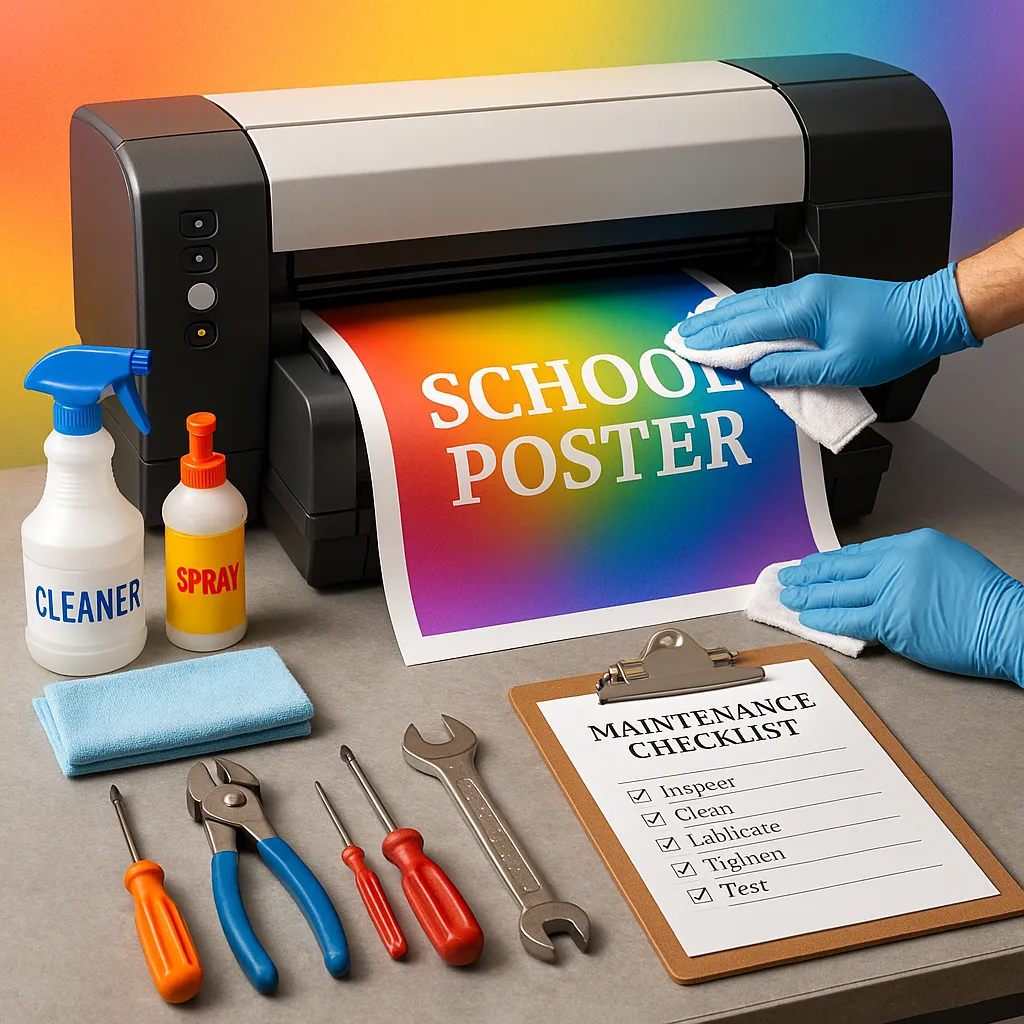
Professional maintenance begins with understanding your equipment’s basic needs. Every poster machine maker has specific requirements, but certain principles apply universally. First, establishing a regular cleaning schedule prevents dust accumulation that can affect print quality and mechanical performance.
Daily maintenance takes just minutes but yields tremendous results. Before each printing session, I recommend wiping down external surfaces with a microfiber cloth. This simple habit prevents dust from entering sensitive components. Additionally, checking paper paths for debris ensures smooth media feeding and prevents costly jams.
Weekly deep cleaning involves more thorough attention. Remove paper trays and clean them completely, paying special attention to roller surfaces. Inspect print heads for dried ink or debris, using manufacturer-approved cleaning solutions when necessary. These preventive measures catch potential problems before they escalate into major repairs.
Creating Your Maintenance Schedule
Developing a systematic maintenance schedule ensures nothing gets overlooked. I’ve found that schools achieve best results by assigning specific tasks to designated staff members. This accountability system creates consistency and prevents maintenance gaps during busy periods.
Monthly tasks include thorough print head alignment checks, calibration procedures, and inspection of all moving parts. These procedures maintain optimal print quality while identifying wear patterns early. Document each maintenance session in a logbook, noting any unusual observations or recurring issues.
Quarterly maintenance dives deeper into mechanical systems. Lubricate designated components according to manufacturer specifications, replace worn rollers, and update firmware when available. These periodic investments of time prevent unexpected breakdowns during critical printing projects.

Advanced Troubleshooting Techniques
Of print quality issues stem from improper maintenance
Lifespan increase with proper care
Cost reduction in repairs
Daily maintenance time
Common Issues and Professional Solutions
Print Quality Degradation
When print quality begins declining, systematic troubleshooting identifies root causes quickly. Start by printing a test page to assess specific issues. Banding typically indicates clogged nozzles, while color shifts suggest calibration needs.
For classroom poster maker units experiencing quality issues, begin with automated cleaning cycles. If problems persist, manual cleaning using approved solutions often resolves stubborn clogs. Remember that aggressive cleaning can damage delicate components, so follow manufacturer guidelines precisely.
Environmental factors significantly impact print quality. Maintain consistent temperature and humidity levels in your printing area. Extreme conditions affect ink viscosity and paper stability, leading to various quality issues. Installing a simple hygrometer helps monitor conditions year-round.
Mechanical Performance Issues
Strange noises often provide early warning of mechanical problems. Grinding sounds suggest debris in paper paths, while squeaking indicates lubrication needs. Address these symptoms promptly to prevent component damage.
Paper feed problems frustrate users but usually have simple solutions. Clean pickup rollers monthly using isopropyl alcohol and lint-free cloths. Replace worn rollers according to usage patterns rather than waiting for complete failure. This proactive approach maintains reliable performance.
Belt tension affects print accuracy and requires periodic adjustment. Loose belts cause registration errors, while overtightened belts accelerate wear. Consult your manual for proper tension specifications and adjustment procedures.
Quick Fix Guide
Common issues with simple solutionsProfessional Solutions
Streaky Prints: Clean print headsPaper Jams: Check roller condition
Faded Colors: Replace ink cartridges
Misalignment: Run calibration routine
Slow Performance: Update firmware
Environmental Considerations for Poster Machine Maker Maintenance Tips
Environmental conditions profoundly impact equipment longevity. Schools often overlook this aspect, yet proper environmental control prevents numerous maintenance issues. Ideal conditions include temperatures between 65-75°F with 40-60% relative humidity.
Dust represents a primary enemy of printing equipment. Position your poster machine maker away from high-traffic areas and ventilation intakes. Consider installing air purifiers in printing rooms to reduce airborne particles. These simple measures significantly decrease cleaning frequency and component wear.
Direct sunlight causes temperature fluctuations and can fade stored media. Position equipment away from windows or install UV-filtering blinds. Consistent environmental conditions contribute more to longevity than any single maintenance practice.
Training Your Maintenance Team
Successful maintenance programs require well-trained personnel. Designate specific staff members as equipment specialists, providing them with comprehensive training on your specific models. This expertise ensures consistent care and rapid problem resolution.
Create detailed documentation including step-by-step procedures, troubleshooting flowcharts, and contact information for technical support. Visual guides with photographs help maintain consistency across different staff members. Regular training refreshers keep skills sharp and introduce new maintenance techniques.
Encourage questions and create an environment where staff feel comfortable reporting potential issues. Early detection often prevents major failures, saving time and money. Recognition programs for diligent maintenance practices reinforce positive behaviors and maintain program momentum.
Conclusion: Your Path to Poster Printer Excellence
Throughout my career in educational technology, I’ve seen how proper maintenance transforms printing operations. Schools implementing these poster machine maker maintenance tips report fewer breakdowns, better print quality, and significant cost savings over equipment lifespans.
Remember that maintenance isn’t just about preserving equipment—it’s about ensuring your educational visuals consistently inspire and inform. Whether you’re using an Amplify Poster Maker for large-scale projects or maintaining multiple units across campus, these principles apply universally.
Your commitment to proper maintenance reflects your dedication to educational excellence. Start small with daily cleaning routines, gradually building comprehensive maintenance programs that protect your investment for years to come. The science of poster longevity isn’t complex—it simply requires consistency, attention, and the right knowledge to succeed.