

Included with every poster maker,
My Printer: support for your school poster maker
Every School Poster Makers poster maker comes with My Printer, your school’s own quick-support page on schoolpostermakers.com. For each poster maker you own, it keeps the serial number on file and puts guides written for that exact model, fixes for touchscreen messages, how-to videos from HP Support, the supplies that fit and our support team in one place.
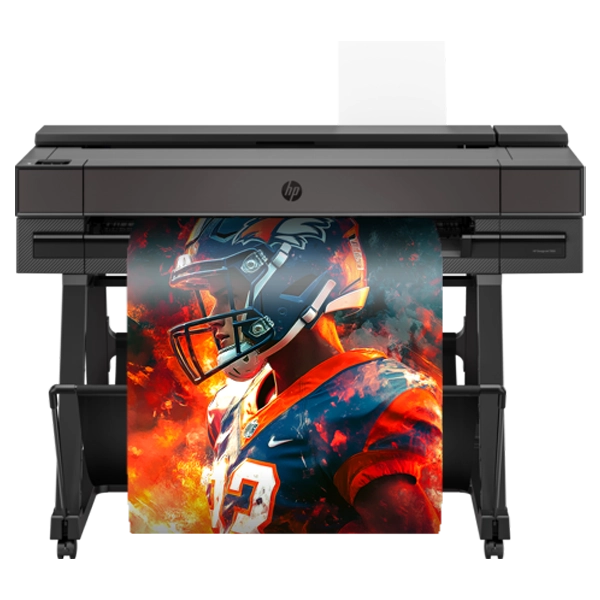
For each poster maker your school owns,
What is on My Printer
Log in to your school account and choose My Printer in the menu. Here is what you find there for every poster maker on your account.
Assembly instructions
Every manufacturer step, each with a drawing, written by School Poster Makers for your model. A PDF you can open or print.
User manual
Paper, ink, printing and everyday care for your model, in a School Poster Makers PDF guide.
Support guide
Fixes for paper jams, print quality and screen messages, in a School Poster Makers PDF guide for your model.
Your poster maker’s details
A photo of your poster maker with its serial number, purchase date and order number on file, ready for warranty and support calls.
Fix it fast
Type a code or message from the touchscreen into the search box and get step-by-step fixes for the error codes and messages your poster maker can show.
How-to videos
How-to videos from HP Support for your poster maker, right on the page.
HP’s support pages
Links to HP’s own support pages for your poster maker. School Poster Makers has been an HP partner since 2008.
Supplies that fit
Ink and printheads, paper and media and lamination that fit your poster maker. Paper and ink ship free, and your school pricing shows when you are logged in.
Our support team
Call 844-473-4700 or email info@schoolpostermakers.com, 9 to 5 Eastern, Monday to Friday.
Two ways in,
How to get My Printer
Bought on our website?
My Printer is set up for you automatically. When you buy a poster maker on schoolpostermakers.com, it appears on your school account after delivery with its own My Printer page. Log in and choose My Printer in the menu.
Shop poster maker packagesOrdered by quote, email or PO?
Many schools order from us directly, without a website account. Set up your free school account and register your poster maker with its serial number: it appears on your account, and My Printer is yours too. Registering creates the account for you if you do not have one yet, and we email you a link to set your password.
Register your printerMore than one poster maker? Each one is listed separately, even several of the same model, each with its own serial number. Pick one at the top of My Printer to see its support. My Printer covers poster makers; laminators are not part of it.
Help from people too,
Support in every package
My Printer sits on top of the help that comes with every School Poster Makers package. When you would rather talk to someone, call 844-473-4700 or email info@schoolpostermakers.com, 9 to 5 Eastern, Monday to Friday.
- Setup on ZoomEvery package includes a Setup on Zoom session with our team for your new poster maker.
- Lifetime technical supportLifetime phone and email technical support is included with your poster maker.
- My PrinterYour poster maker’s serial number, guides, screen message fixes, videos and supplies, ready whenever you log in.
What is My Printer?
My Printer is a quick-support page on schoolpostermakers.com that every school with a School Poster Makers poster maker gets. For each poster maker the school owns, it shows the serial number, purchase date and order number, three guides written for that model, fixes for touchscreen messages, how-to videos from HP Support, the supplies that fit and how to reach our support team.
What support comes with a school poster maker?
Every School Poster Makers package includes a Setup on Zoom session, lifetime phone and email technical support and My Printer, your school’s own support page for the poster maker. Reach our support team at 844-473-4700 or info@schoolpostermakers.com, 9 to 5 Eastern, Monday to Friday.
Where do I find my poster maker’s serial number?
On the label on the back of your poster maker. Once it is registered, the serial number is saved on My Printer, so it is on file when you call us. Can’t find it? Call 844-473-4700 and we will help.
Can I get assembly instructions for my poster maker?
Yes. My Printer has Assembly instructions written by School Poster Makers for your exact model, as a PDF, with every manufacturer step and a drawing for each. Next to it are a User manual (paper, ink, printing and everyday care) and a Support guide (fixes for jams, print quality and screen messages).
What if my poster maker shows an error code?
Open My Printer and type the code or message from the touchscreen into the search box. It shows step-by-step fixes for the error codes and messages your poster maker can show, and the Support guide covers jams and print quality. Not fixed? Call 844-473-4700 and tell us what the screen says.
Do you support schools with more than one poster maker?
Yes. My Printer lists each poster maker your school owns separately, even several of the same model, each with its own serial number, purchase date and order number, guides and supplies. Pick one at the top of the page to see its support.
How does my school get My Printer?
Schools that buy a poster maker on schoolpostermakers.com get it automatically: log in and choose My Printer in the menu. Schools that ordered from us by quote, email or PO without a website account can set up a school account and register their poster maker with its serial number, and then they get My Printer too. Registering creates the account if they do not have one yet.
Does My Printer cover laminators?
No. My Printer is for poster makers only; laminators are not part of it. For a question about your laminator, call 844-473-4700 or email info@schoolpostermakers.com.
Trusted by schools in all 50 states,